Building an Internal Tool For The Flutter App
As I have been working on the Flutter app for the Holcomb Farm Tree Trail, assets have been added through the cloud console. This isn’t an issue for me, but others will have to add, delete, or modify assets and using the cloud console creates numerous problems. Incorrect file names, accidental overwrites, incompatible file content or types, are some issues that can occur. Not to mention the console uses the admin sdk, granting permission to change things other than the assets, like project settings. So, in addition to developing a mobile app, I need to create a tool that handles asset CRUD operations, is easy to use, and available only to select people.
One thing I learned about in my (unfortunately short) intern time at my local public school was the existence of Google Apps Script, thanks John! This wonderful tool can interact directly with the Google Drive API, but I will be using it to deploy a web app interacting with the Google Cloud Storage API. Everything lives in Google Drive so it is very convinient for managing and deploying a web app. There is another awesome tool called Clasp that allows for pushing and pulling from the script document to my local machine, then using Git for better version control.
I used Anthropic’s Claude gen AI to build the front-end and assist in the back-end, as I had not used REST APIs. I sketched out the UI in MS Paint and wrote a descriptive prompt with XML tags. The Claude prompt docs are quick reads and I believe important to read as I was able to have the front-end created in a single, well-written prompt! Back-end is another story and I fell into the classic back-and-forth, casual and chatty pattern. Its not like REST APIs or Javascript is hard per se, but the AI is very helpful for debugging and filling in knowledge gaps.
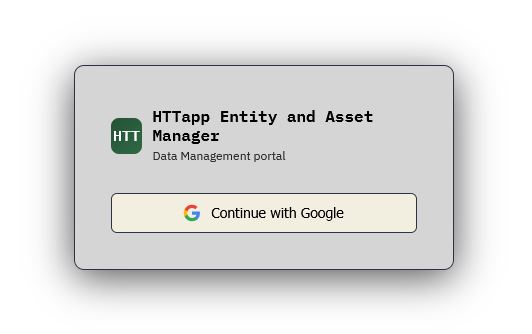
I made use of Google OAuth login to restrict the app to only accounts from the organization. An added layer of safety can be had by implementing IAM roles to control what accounts have access to, although this web app is restrictive in what it can do.
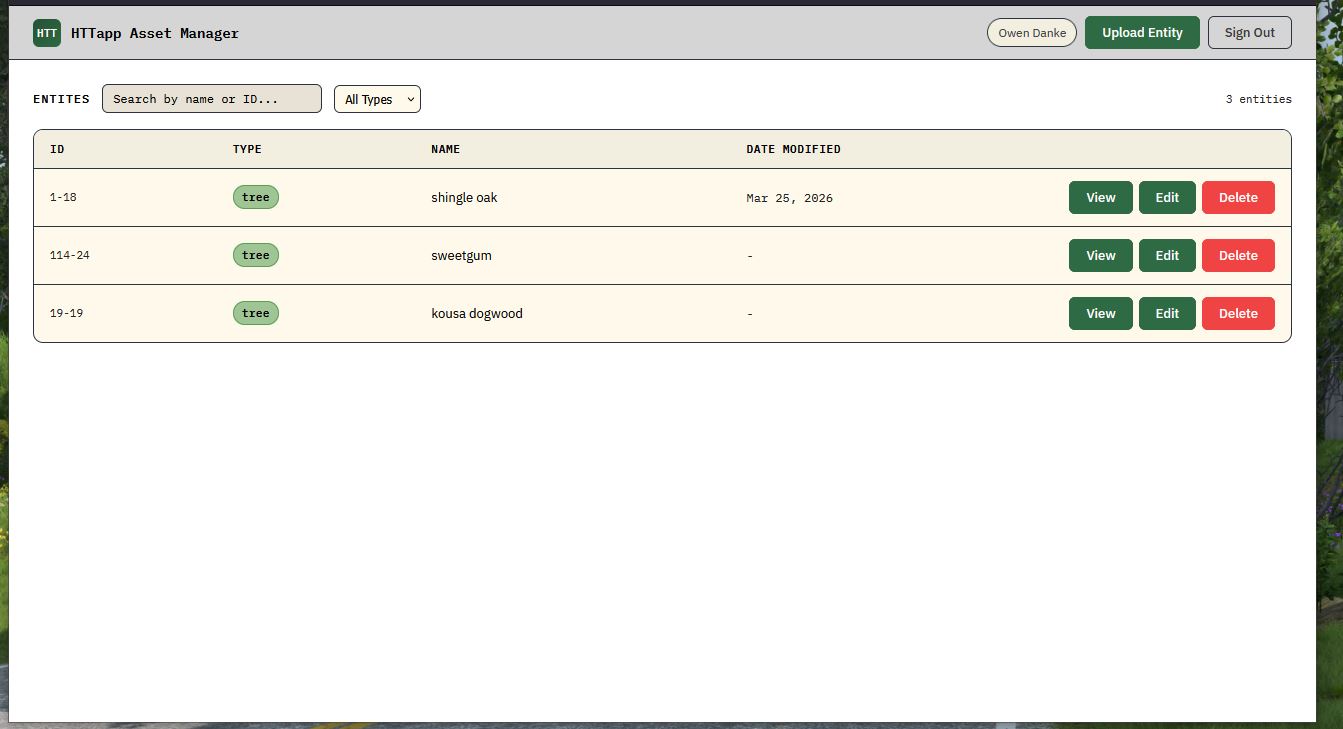
The main screen, after logging in, is a table that presents the user with all the entities currently in the storage bucket. Initially I had three dots on the side that would open a drop-down menu, but I decided to remove that, and having individual buttons on each row to be more clear on how to interact with the entities. Along the top of the table is a search bar for filtering by name or ID and a drop-down selector for displaying different entity types. Currently there are only two entity types, tree and sign, but if the scope of the app were to change, I can make a few easy changes and there would be new entity types.
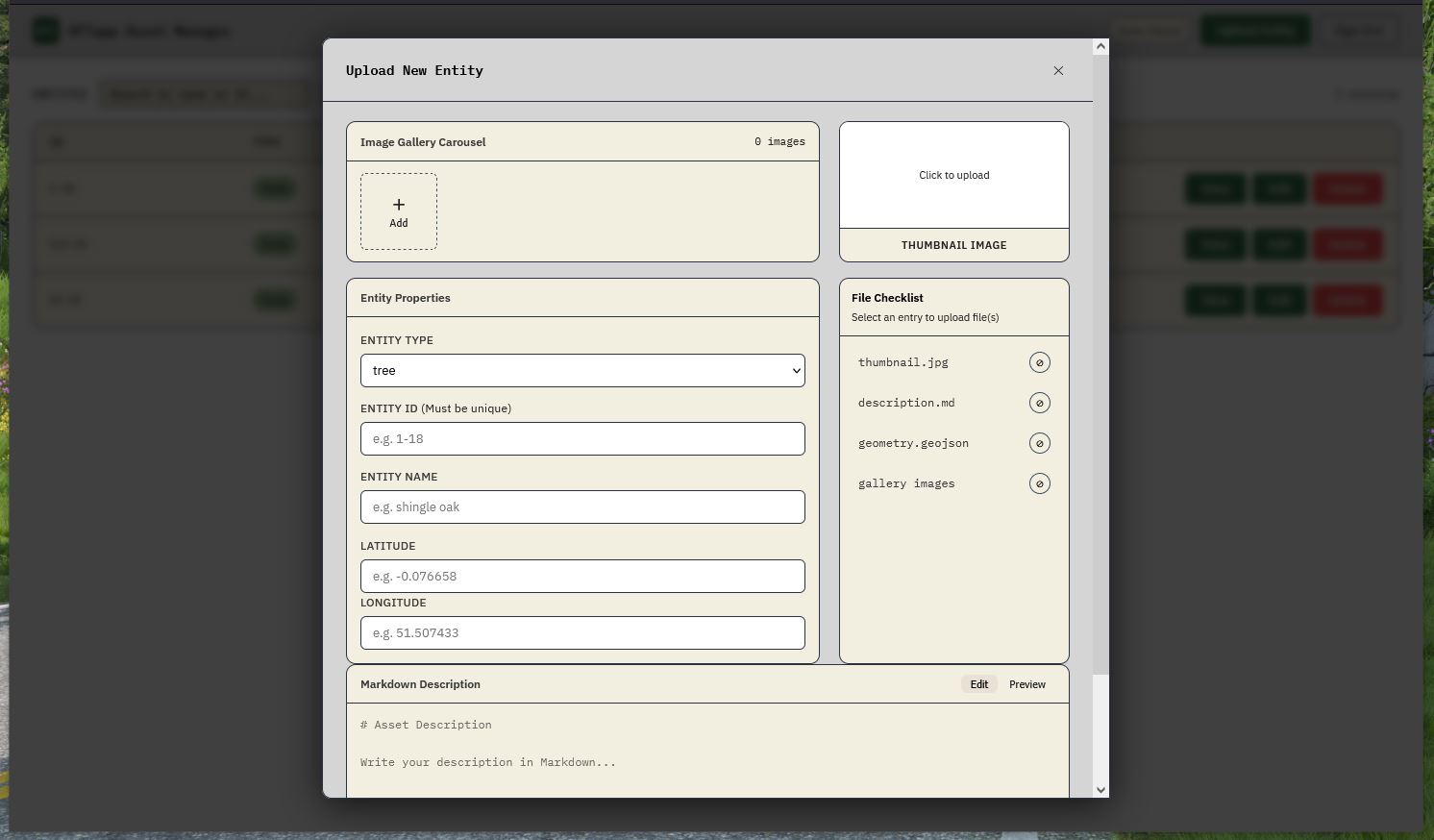
One of the main uses of this app is to create new entities and upload corresponding assets. This is the upload modal that ‘pops-up’, it is styled as a form that the user fills in with appropriate information. The UI elements will vary slightly depending on the entity type selected, the gallery hides if the type is ‘sign’, for example. On the right there is a handy checklist that actively crosses items off the list to show what is needed and what is missing. The checklist needs attention as it hasn’t been worked on for a few major updates. Both the image gallery and thumbnail image will display what is selected for upload. The markdown editor at the bottom will render any markdown text by selecting preview instead of edit, as all the app’s text assets are markdown.
While this project is not yet finished, this is what the final form will look and function like. Keeping it simple while still being functional and robust is important. I need to write more about this project (docs and user guides) not just on this ‘blog’ so I’ll wrap this up.